
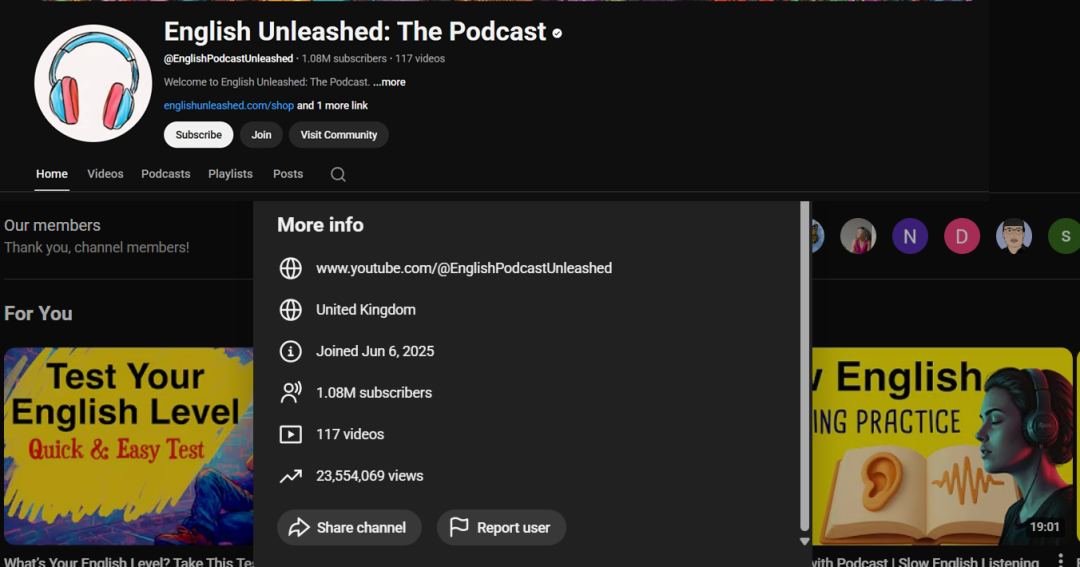
今天为大家介绍很多人忽视的一个YouTube频道领域:语言学习。这个频道@EnglishPodcastUnleashed,在180天内就获得了超100万订阅,观看量超过2300万。
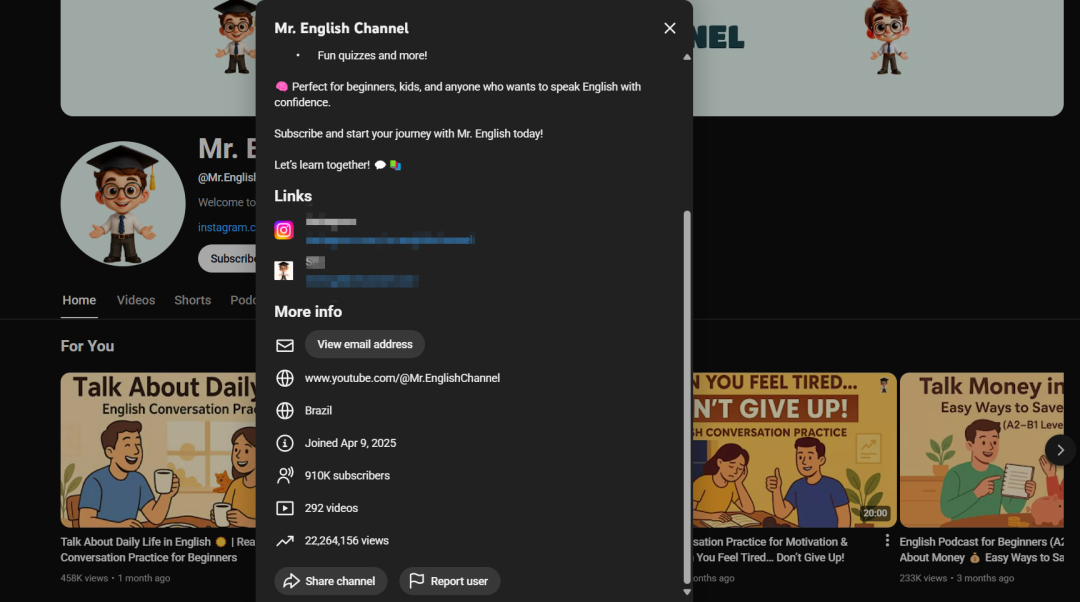
还有另外一个频道@Mr.EnglishChannel,也是几个月的时间获得了超91万的订阅,播放量2200万以上。
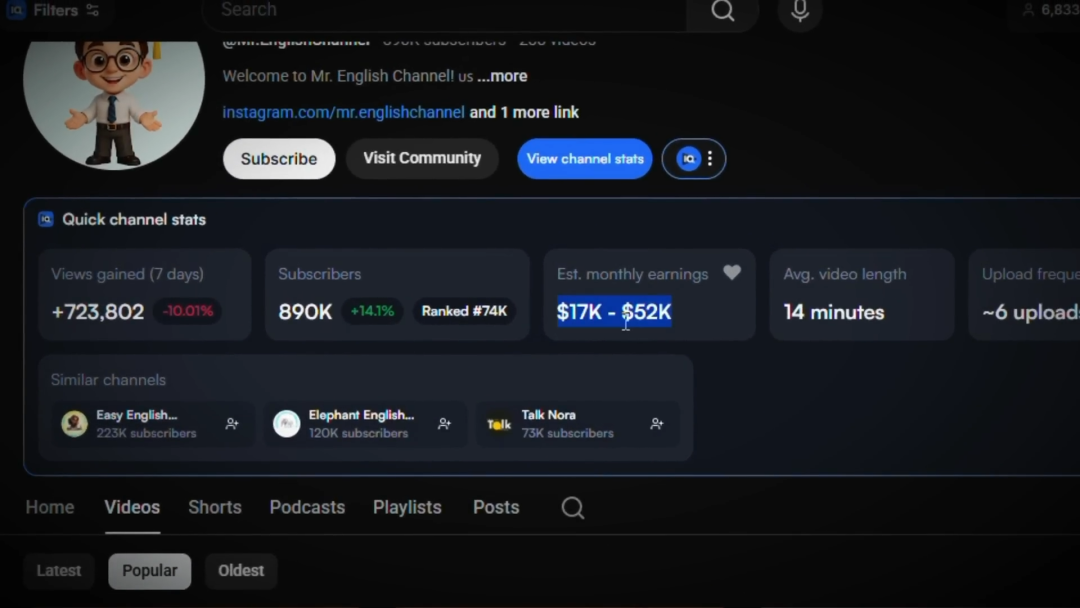
查一下获利情况,相当不错啊
关键是这些视频不是那种你做不出来的高成本视频,就是一张静态图片,一个会动的AI头像,甚至就是纯静态的,再加上简单的播客设置和字幕,就这么简单!
有些频道用一个角色,有些用两个来对话,但模式都一样。静态图片加字幕,脚本、旁白、背景图,都是AI生成的,就能换来数百万的浏览量。
就像下面这样的:
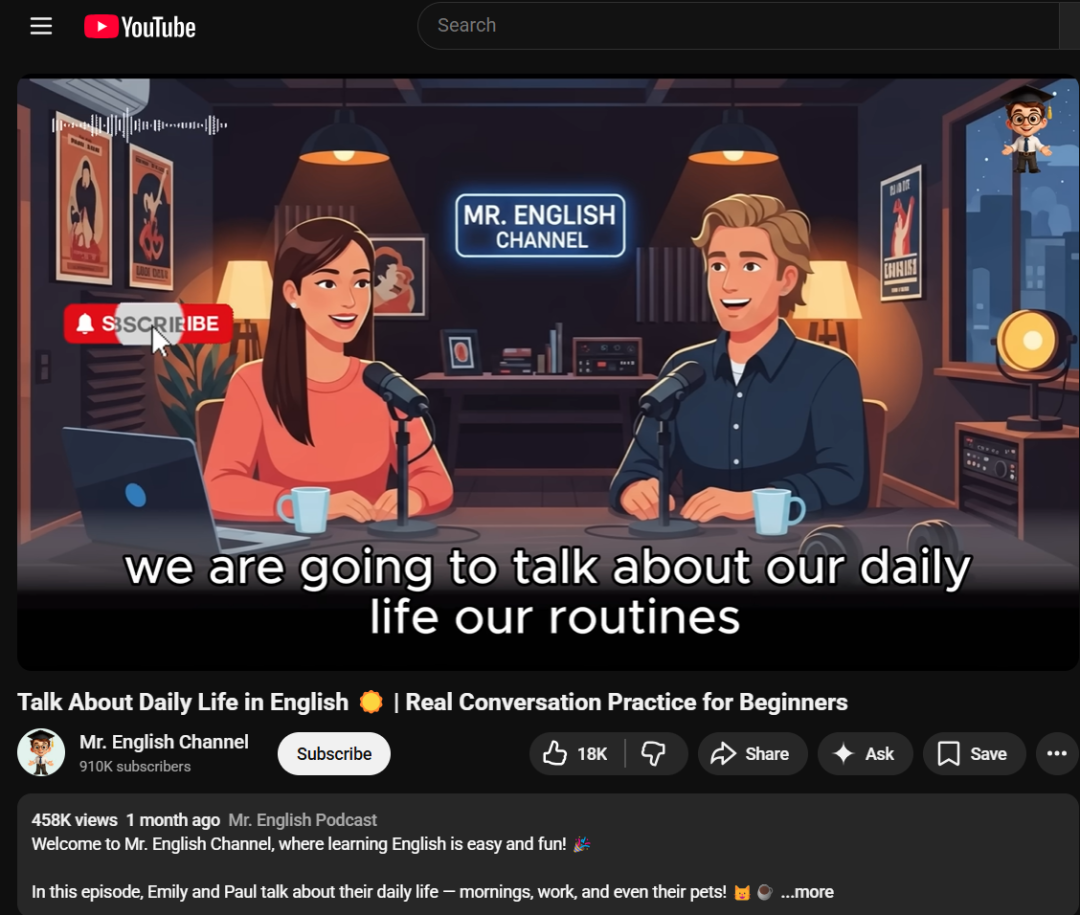
我花了好几天搞清楚他们是怎么不花一分钱做出这么高质量的视频的。
YouTube的黄金法则:视频形式并不是最重要的,创意重要,占成功的80%。视频创意不行,再怎么剪辑都救不了。
这个频道成功的关键在于它不只是一个“教英语”的频道,而是一个陪你练英语的工具型频道。它提供实操性极强的“影子练习”素材,结合心理激励和针对性的痛点,极大地提高了用户的留存率和订阅意愿。标题中经常包含 “Motivation”(动力)和 “Change your life”(改变你的生活),这种将语言学习与个人成功挂钩的策略非常能吸引长期订阅。
视频长度也很重要。他们的视频平均时长25分钟,也有一些十几分钟。在这个赛道里,长视频占据主导地位,而且CPM也高。
接下来是写脚本和配旁白,通常这需要订阅两个不同的工具,花好几个小时复制粘贴。但我发现有个工具 Wondercraft(wondercraft.ai)可以节省不少时间。
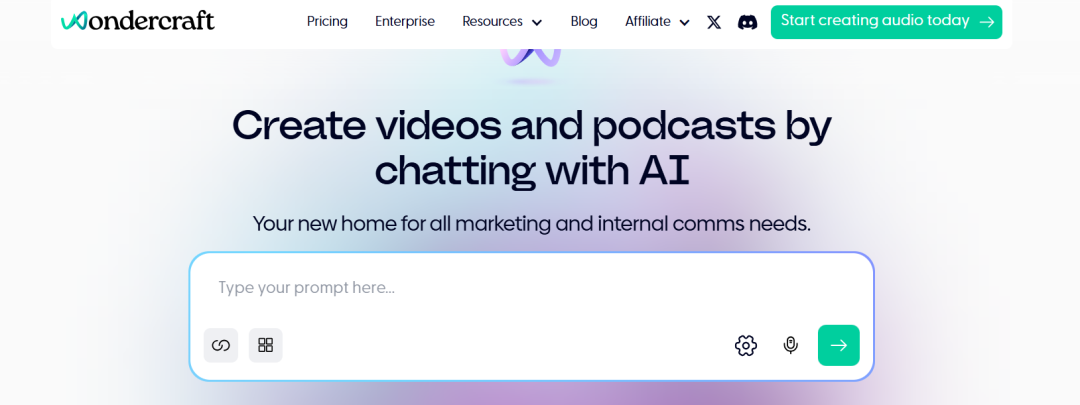
它是专门做播客的,能一次性搞定对话、节奏和配音,而且可以免费开始用。注册后进入工作室,你可以自己写脚本,但没必要从头摸索浪费时间,这里为你提供一个现成的提示词,只需要输入频道名、视频标题,设置好时长,点击生成。
You are an ESL podcast scriptwriter.
Create a conversation script for a podcast called “Channel Name”
The podcast has two hosts: John and Olivia.
Topic: [PASTE YOUR TOPIC HERE]
Target duration: [PASTE DURATION HERE – e.g., 2 minutes / 3 minutes / 5 minutes]
Writing rules:
- English level: A2 (beginner–elementary)
- Use short, clear sentences
- Speak slowly and naturally
- Use simple, everyday vocabulary
- Avoid slang and complex grammar
- Keep the conversation friendly and realistic
- Match the length to the target duration
Format:
- Use dialogue only
- Label each line with the speaker’s name
- End the conversation naturally
The goal is to help English learners improve listening and speaking skills through everyday conversations.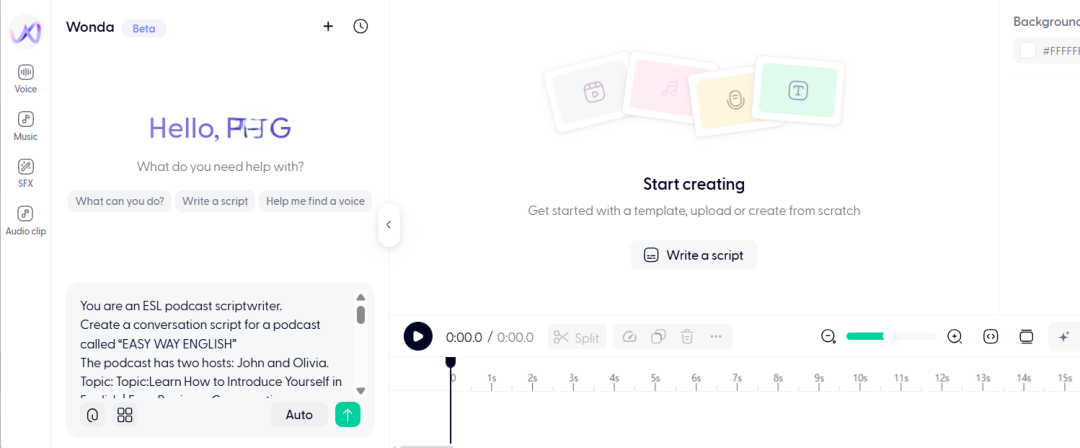
它会生成完整的对话,还会给主持人和嘉宾分配不同的声音。
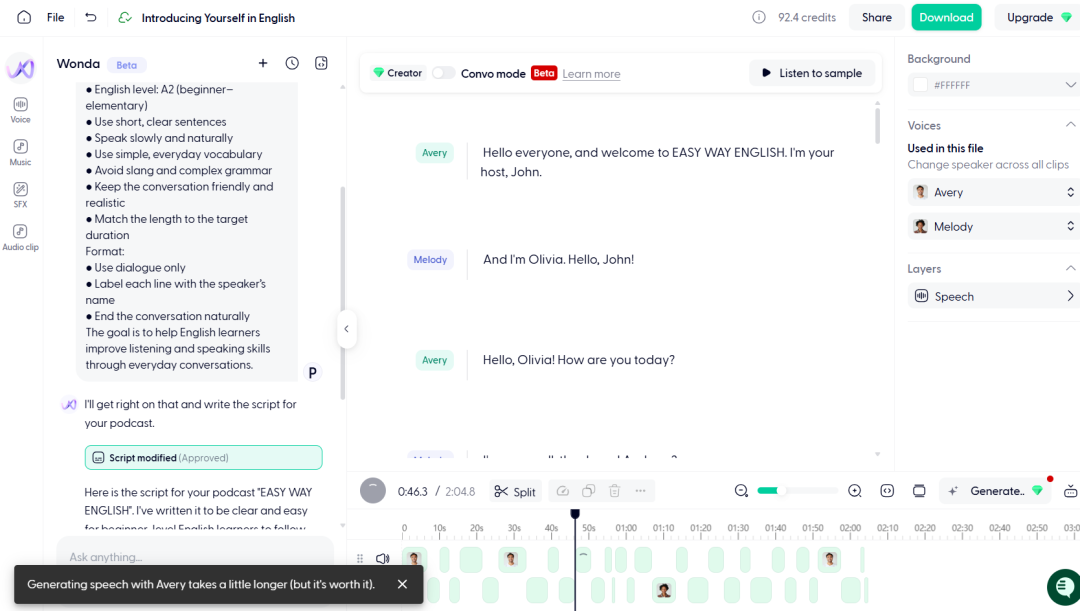
免费版不能一次性生成完整音频,需要手工点击生成,一次生成一段,点播放按钮,切换一下设置就行。音频生成好后,下载下来,就可以做视觉效果了。
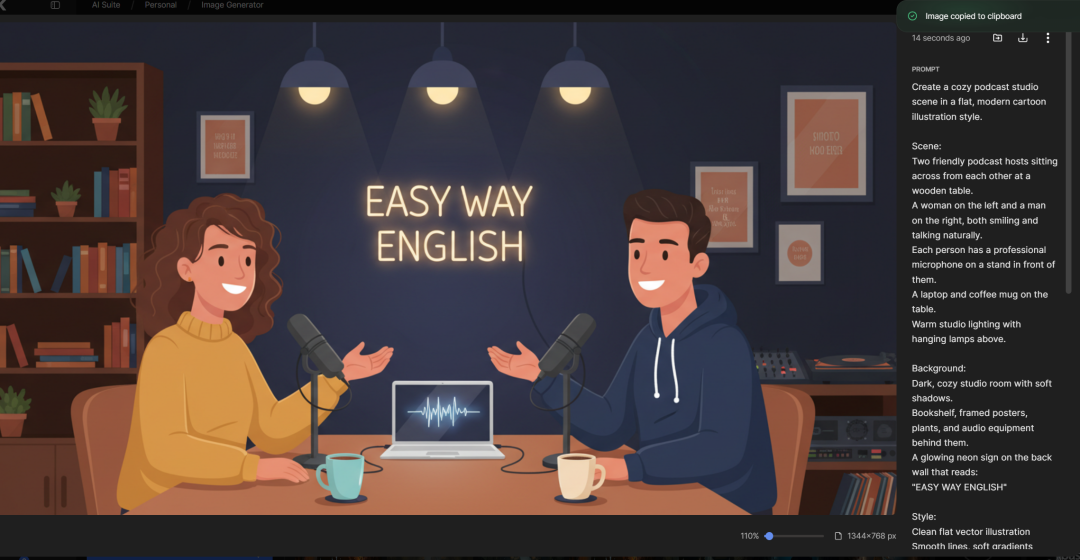
视觉效果不用素材视频,生成静态图片,按照下面的提示词模板即可。选择任何一个text-to-image的模型,复制提示词,点击生成。
Create a cozy podcast studio scene in a flat,modern cartoon illustration style.

Scene:
Two friendly podcast hosts sitting across from each other at a wooden table.
A woman on the left and a man on the right, both smiling and talking naturally.
Each person has a professional microphone on a stand in front of them.
A laptop and coffee mug on the table. Warm studio lighting with hanging lamps above.

Background:
Dark, cozy studio room with soft shadows.
Bookshelf, framed posters, plants, and audio equipment behind them.
A glowing neon sign on the back wall that reads:
"YOUR CHANNEL NAME HERE"

Style:
Clean flat vector illustration
Smooth lines, soft gradients
Warm color palette (dark blue, brown, orange, soft pink)
No realism, no photo texture, no 3D
YouTube educational podcast aesthetic

Mood:
Friendly, calm, welcoming
Feels like an English learning podcast
Professional but relaxed

Composition:
Centered characters
Balanced lighting
Clear focus on the hosts
High quality, YouTube thumbnail ready
例如下面是使用Nano Banana生成的。因为YouTube对重复内容审核比较严格,所以建议调整下风格、灯光,让它变成你自己独一无二的。
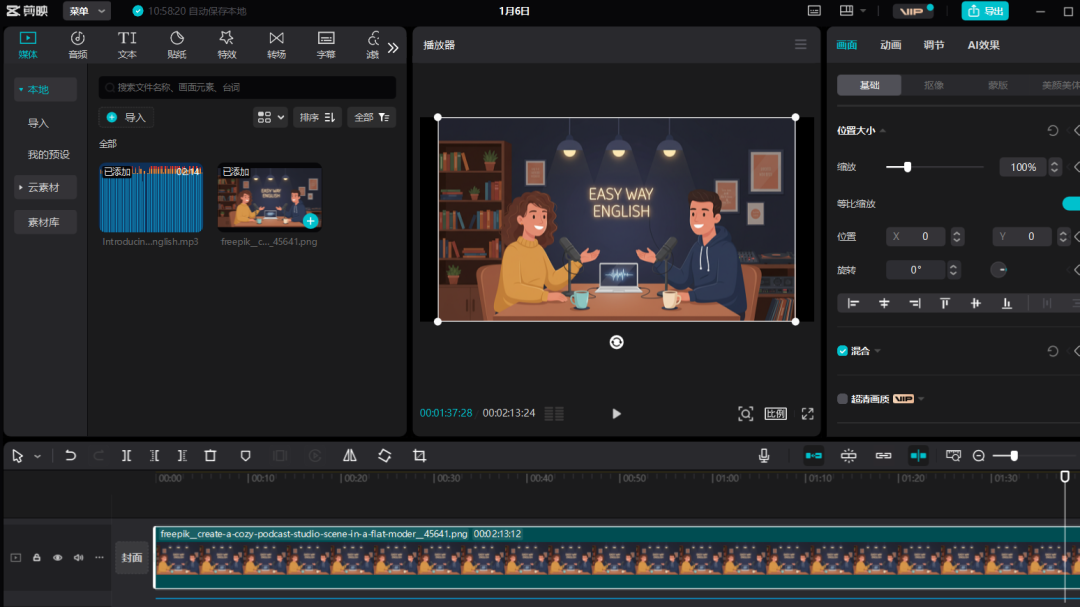
最后一步是剪辑,使用剪映/ Capcut就可以。把旁白和AI图片导入编辑器,把旁白放到音轨上,图片放上去拉长到合适长度。
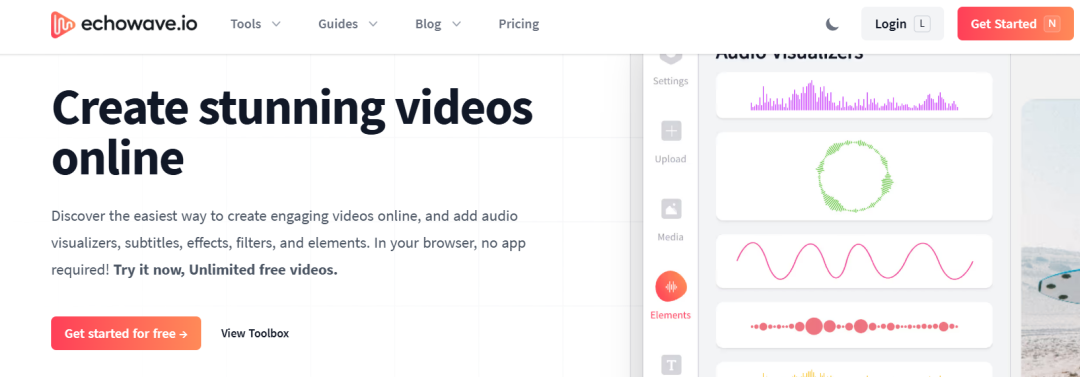
为了避免单调,可以加入跟着音频跳动的音波效果。最快的做法,打开下面这个网站,点击新建视频,先弄个纯色背景,方便后面去掉背景。选个绿幕背景,点击媒体,上传绿幕背景,去元素标签里选个符合你风格的样式,上传旁白,就能得到类似这样的效果。
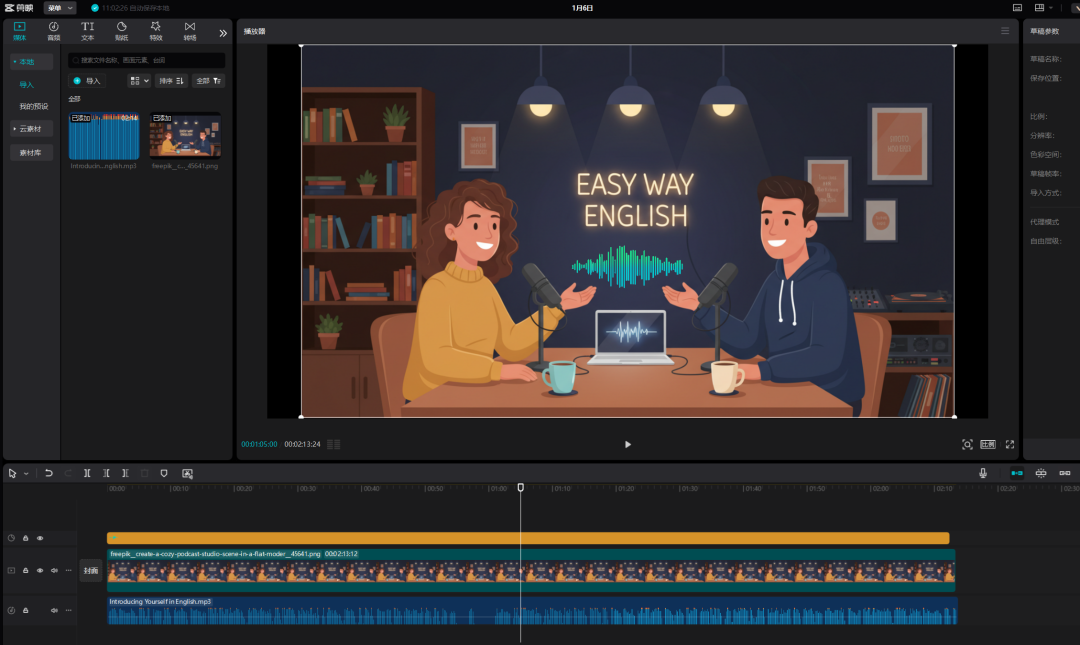
导出保存到设备上,再导入主编辑器,放在图片上面。去掉背景前,先把水印裁剪掉,然后去掉背景,调整位置,加上字幕,编辑一下,让人容易看懂。最后,从YouTube音频库加个背景音乐,导出视频,搞定。
视频样例:
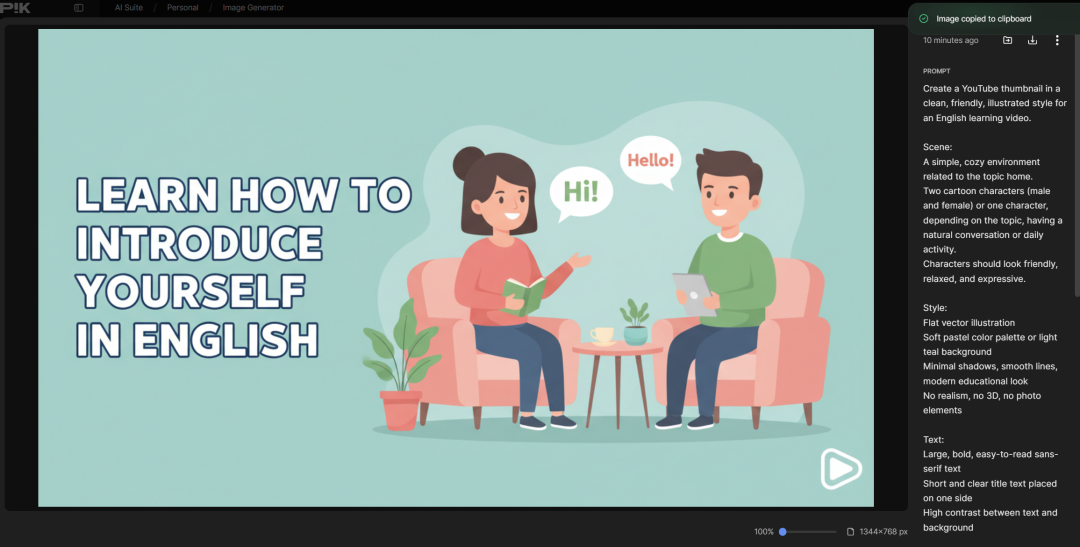
还需要有个能吸引人点击的缩略图,复制下面的秘密提示词,
Create a YouTube thumbnail in a clean, friendly, illustrated style for an English learning video.

Scene:
A simple, cozy environment related to the topic (podcast studio, home, café, classroom, or daily life setting).
Two cartoon characters (male and female) or one character, depending on the topic, having a natural conversation or daily
activity.
Characters should look friendly, relaxed, and expressive.

Style:
Flat vector illustration
Soft pastel color palette (peach, beige, light yellow, soft pink, or light teal background)
Minimal shadows, smooth lines, modern educational look
No realism, no 3D, no photo elements

Text:
Large, bold, easy-to-read sans-serif text Short and clear title text placed on one side
High contrast between text and background

Title to display on thumbnail:
"[PASTE YOUR TITLE HERE]"

Mood:
Beginner-friendly
Calm, positive, and approachable
Feels like an English learning podcast or
daily conversation practice

Composition:
Clean layout
No clutter
Focus on characters + title
Optimized for YouTube thumbnail visibility
回到Nano Banana,粘贴进去,输入你想在缩略图上显示的文字,一般是标题的简短有力版就行,设置16:9的比例,改改颜色、氛围或者场景,让缩略图在推荐里脱颖而出。
以上方法仅供参考测试,优化使用。